Top Ebook Builder Software for Creating Stunning Digital Books
In today's digital age, ebooks have become a powerful medium for sharing knowledge, storytelling, and marketing. Whether you're an author, marketer, educator, or content creator, having the right ebook builder software can significantly enhance your ebook creation process and elevate the final product. The ideal software not only simplifies the technical aspects of ebook production but also offers design flexibility to make your digital books visually appealing and professional.
This article will review some of the top ebook builder tools available in 2024, highlighting their key features, strengths, and potential drawbacks. Additionally, we’ll cover what to look for when selecting ebook builder software and share useful tips to help you create stunning digital books that engage your readers.
What to Look for in Ebook Builder Software
User-Friendly Interface
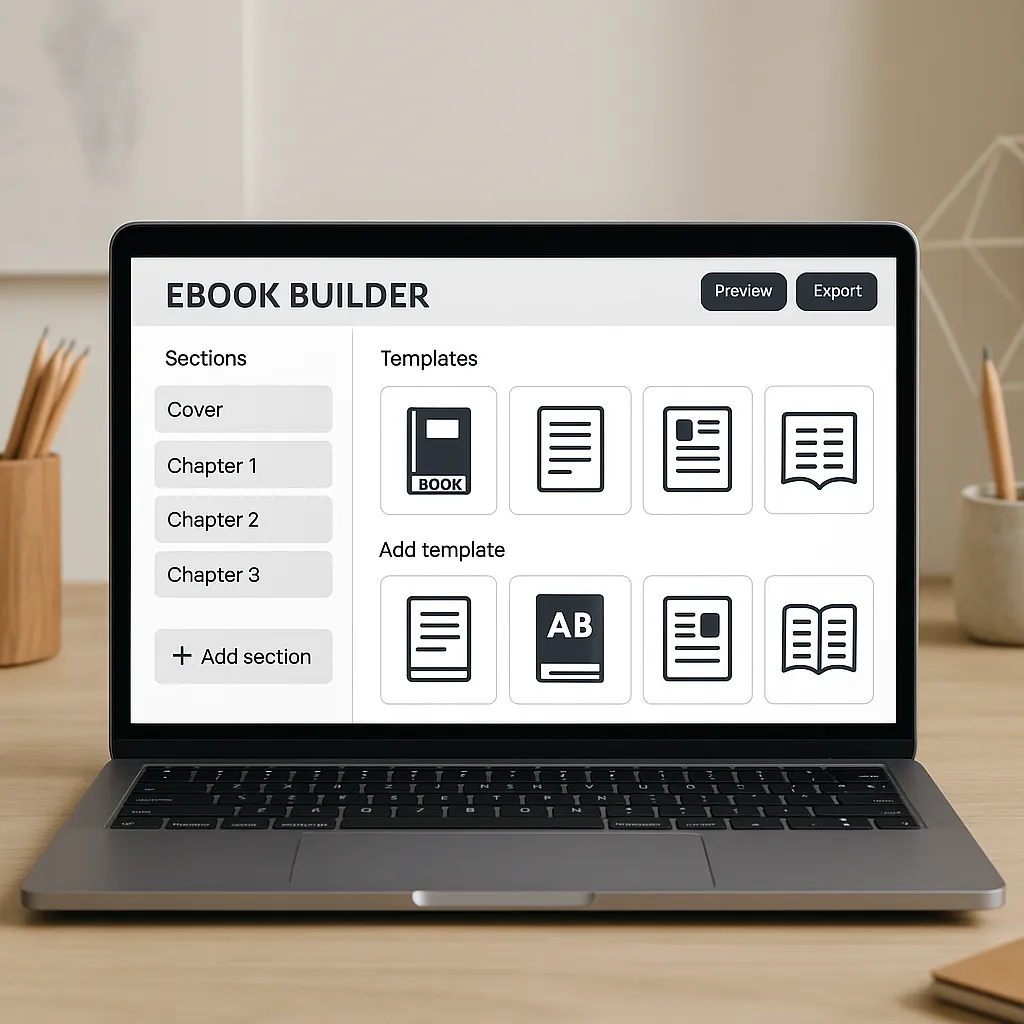
When choosing ebook builder software, ease of use is crucial, especially if you’re new to ebook creation. A user-friendly interface allows both beginners and seasoned professionals to work efficiently. Many top tools feature drag-and-drop functionality, enabling you to add and arrange text, images, and multimedia without any coding skills. Pre-designed templates also speed up the design process, helping you produce polished ebooks quickly.
Customization and Design Options
The best ebook builders offer a wide range of customization options. This includes diverse templates and themes suited for various genres and purposes. Look for software that allows you to adjust fonts, colors, and layouts to match your brand or personal style. The ability to create a unique visual identity can make your ebook stand out and improve reader engagement.
Output Formats and Compatibility
Different ebook readers and platforms support various file formats. Popular formats include EPUB, PDF, and MOBI. The right software should let you export your ebook in multiple formats to ensure compatibility across Amazon Kindle, Apple Books, Google Play Books, and other major platforms. This versatility helps you reach a broader audience.
Multimedia Integration
Modern ebooks often go beyond static text and images. Multimedia elements such as audio clips, videos, and interactive elements like quizzes or hyperlinks can enrich the reader’s experience. Look for ebook builder software that supports these features if you want to create dynamic, engaging content.
Pricing and Licensing
Consider your budget and the pricing model of the software. Some ebook builders are free with limited features, while others require a subscription or a one-time purchase. Evaluate which pricing structure suits your needs, and check if any licensing restrictions apply, particularly if you plan to distribute your ebooks commercially.
Top Ebook Builder Software in 2024
1. Scrivener
Overview and Key Features: Scrivener is a powerful writing software designed primarily for long-form content like novels, research papers, and complex ebooks. It offers robust organizational tools that help writers manage chapters, notes, and references within a single project.
Best For: Writers focusing on long-form content who want strong project management alongside ebook creation.
Pros: Excellent for structuring large documents, supports multiple export formats, and rich writing tools.
Cons: Steeper learning curve and less emphasis on design customization compared to dedicated ebook builders.
2. Canva Ebook Maker
Overview and Key Features: Canva is renowned for its intuitive graphic design platform, and its ebook maker combines ease of use with powerful visual customization. It offers numerous templates, drag-and-drop design tools, and a rich library of images and fonts.
Best For: Creators who want visually rich ebooks with flexible design options and simple publishing.
Pros: Intuitive interface, extensive design assets, collaboration features, and direct PDF export.
Cons: Limited ebook format export (mostly PDF), which may restrict compatibility with some ebook readers.
3. Beacon
Overview and Key Features: Beacon specializes in turning blog posts and marketing content into professional ebooks and lead magnets. It integrates with popular platforms like WordPress and offers customizable templates focused on conversion.
Best For: Marketers creating lead magnets, guides, and content upgrades to grow their email lists.
Pros: Seamless integration with content platforms, easy-to-use editor, and marketing-focused templates.
Cons: Less suited for complex or highly designed ebooks; pricing may be high for casual users.
4. Vellum
Overview and Key Features: Vellum is a Mac-exclusive ebook builder known for producing beautifully formatted ebooks with professional typography. It supports multiple output formats and is popular among self-publishing authors.
Best For: Mac users seeking professional, polished ebook formatting with minimal hassle.
Pros: Stunning formatting options, easy export to EPUB, MOBI, and PDF, and a clean user interface.
Cons: Only available for Mac, and pricing is on the higher side for casual creators.
5. Designrr
Overview and Key Features: Designrr converts existing content such as blog posts, podcasts, or videos into ebooks. It offers a wide array of templates, customization options, and supports multimedia integration.
Best For: Content creators and bloggers looking to repurpose their material into engaging ebooks quickly.
Pros: Easy content import, multimedia support, multiple export formats, and affordable pricing.
Cons: Some users report occasional glitches and limited design flexibility compared to graphic design tools.
6. Kotobee Author
Overview and Key Features: Kotobee Author is ideal for creating interactive and multimedia-rich ebooks. It supports embedding audio, video, widgets, quizzes, and offers cloud publishing options.
Best For: Educators, trainers, and authors who want to create immersive learning materials and interactive ebooks.
Pros: Extensive interactive features, supports multiple export formats including apps, and cloud hosting options.
Cons: Interface can be overwhelming for beginners, and the free plan has limited features.
How to Choose the Right Ebook Builder for Your Needs
Identify Your Ebook Goals and Audience
Start by clarifying the purpose of your ebook. Are you writing a novel, an educational guide, or a marketing lead magnet? Understanding your goals helps you select software tailored to your objectives. Also, consider your target audience’s preferences—some readers prefer simple text-based ebooks, while others appreciate interactive elements or rich visuals.
Consider Your Technical Skills
Evaluate how comfortable you are with technology and design tools. If you prefer a straightforward, no-fuss experience, look for software with intuitive interfaces and ready-made templates. If you are tech-savvy and want full control over every design aspect, advanced tools like Scrivener or Kotobee Author may be better suited.
Budget Constraints
Cost can be a deciding factor. Free tools might be sufficient for basic needs, but investing in premium software often unlocks powerful features and better support. Consider whether a subscription or one-time payment aligns better with your budget and long-term plans.
Trial and Demo Options
Before committing, take advantage of free trials or demos. Testing the software firsthand helps you assess usability, features, and whether it feels right for your workflow. Many platforms, including Makeebook, offer trial versions or free tiers to explore their capabilities.
Tips for Creating Stunning Digital Books
Focus on Readability and Layout
Choose fonts that are easy to read on screens and maintain comfortable spacing between lines and paragraphs. Consistent margins and clear section breaks improve the reading experience, reducing eye strain and keeping readers engaged.
Use High-Quality Images and Graphics
Visual elements can greatly enhance your ebook’s appeal. Use high-resolution images and graphics that complement your content without overwhelming it. Avoid clutter and ensure that visuals support the message you want to convey.
Incorporate Interactive Elements
Where appropriate, add interactive features such as hyperlinks, quizzes, embedded videos, or audio clips. These elements make your ebook more engaging and can provide additional value, especially in educational or marketing ebooks.
Optimize for Multiple Devices
Readers access ebooks on various devices, from smartphones and tablets to dedicated e-readers and computers. Test your ebook across different platforms to ensure formatting remains intact and the content is easy to navigate regardless of screen size.
Conclusion
Choosing the right ebook builder software is essential for creating digital books that capture attention and deliver value. From user-friendly design tools like Canva and Makeebook to feature-rich platforms like Scrivener and Kotobee Author, there is a solution for every type of creator and budget.
Take the time to explore and experiment with the recommended tools, keeping your goals and audience in mind. With the right software and a focus on quality design and content, you can produce stunning, professional ebooks that stand out in the crowded digital marketplace.