Top Ebook Reader Apps with Dark Mode for Comfortable Night Reading
Reading ebooks at night can be a relaxing way to wind down, but bright screens often cause eye strain and interfere with sleep. Dark mode, a popular display option where the background is dark and text is light, offers a comfortable alternative that’s easier on your eyes after sunset. In this article, we explore why dark mode is essential for night reading, the criteria to consider when choosing an ebook reader app, and highlight the top apps that provide excellent dark mode features to enhance your nighttime reading experience.
Why Choose Ebook Reader Apps with Dark Mode?
Understanding Dark Mode and Its Benefits
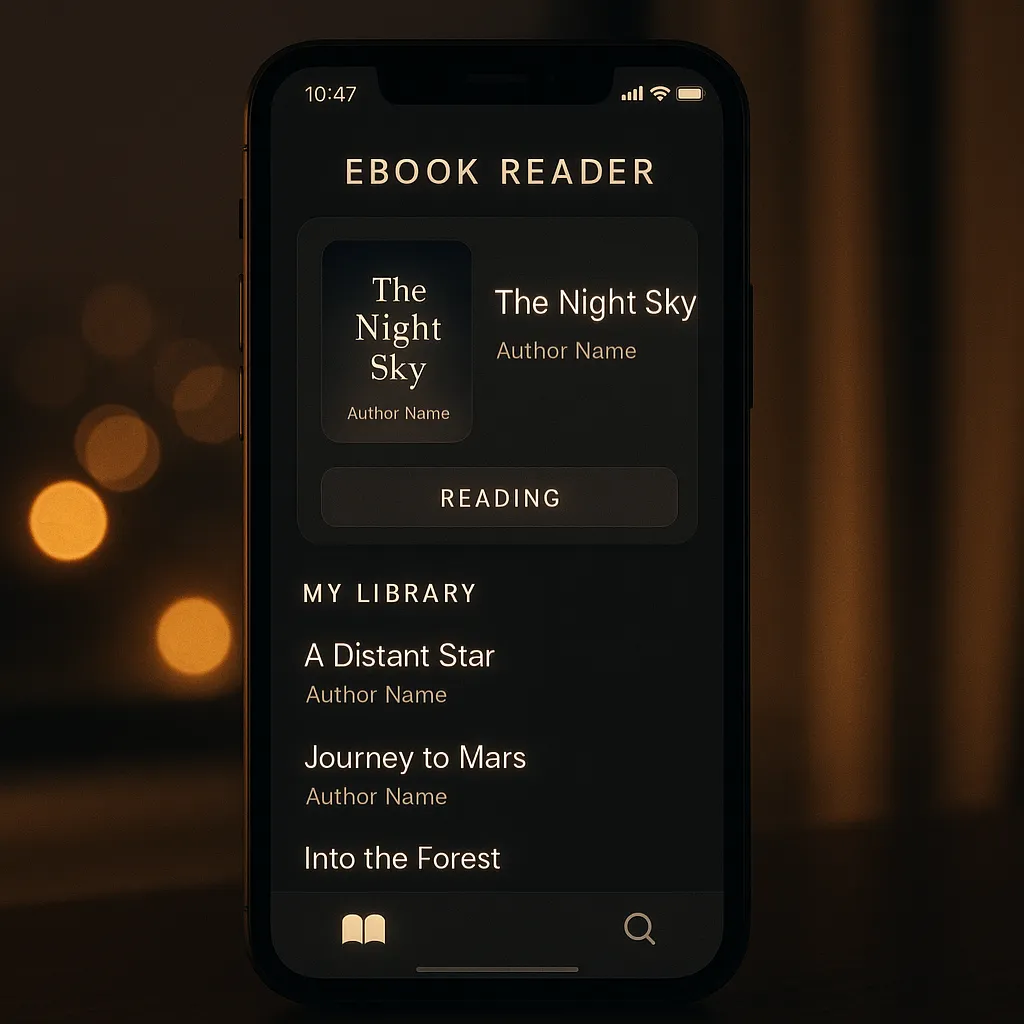
Dark mode is a display setting that swaps the traditional bright, white backgrounds for darker colors, usually black or dark gray, with contrasting light text. This mode is designed to reduce the amount of light emitted by device screens, making it gentler on your eyes, especially in low-light conditions.
When reading ebooks at night, dark mode helps minimize eye strain, allowing you to read longer without discomfort. Unlike the glaring white backgrounds of standard modes, the soft dark screen reduces flicker and brightness, which are common causes of visual fatigue.
Impact on Sleep and Eye Health
One of the biggest advantages of dark mode relates to its effect on your sleep cycles. Exposure to blue light emitted by screens can suppress melatonin, the hormone responsible for regulating sleep. This can make falling asleep more difficult after nighttime reading.
Scientific research shows that using dark mode or other low-light screen settings can help reduce blue light exposure. Consequently, this supports better melatonin production and improves sleep quality. For avid night readers, this means they can enjoy their favorite books without disrupting their rest.
Battery Efficiency on Mobile Devices
Another practical benefit of dark mode, particularly on devices with OLED or AMOLED screens, is battery conservation. These screen types light each pixel individually, so displaying black or dark pixels uses less power than bright or white pixels.
By using ebook reader apps that support dark mode, you can extend your device’s battery life significantly during long reading sessions, making it ideal for travel or times when charging options are limited.
Criteria for Selecting the Best Ebook Reader Apps with Dark Mode
Customizability of Dark Mode Settings
Not all dark modes are created equal. The best ebook reader apps offer adjustable brightness and contrast within dark mode, allowing you to fine-tune your reading experience. Some apps provide multiple dark themes such as pure black, dark gray, or even sepia tones to suit different preferences and reduce eye fatigue even further.
Supported Ebook Formats
Versatile apps support a wide range of file formats like EPUB, PDF, MOBI, and others. This ensures you can read ebooks from various sources without converting files. Look for apps that handle your preferred formats seamlessly while maintaining dark mode consistency.
User Interface and Ease of Use
A clean, intuitive user interface is essential for a pleasant night reading experience. The app should allow easy toggling of dark mode, quick access to settings, and a distraction-free reading environment.
Additional Features for Night Reading
- Font Customization: Adjustable font sizes, styles, and spacing improve readability in dark mode.
- Night Mode Timers or Automatic Scheduling: Some apps let you schedule dark mode activation based on time or ambient light levels.
- Annotation and Bookmarking: Features to highlight text or save your place without breaking night reading flow.
Top Ebook Reader Apps with Dark Mode
Kindle App
The Kindle app, available on iOS, Android, and desktop platforms, is a popular choice for many readers. Its dark mode feature, called “Night Mode,” can be toggled easily and offers a warm dark background with white text that reduces eye strain.
Pros: Seamless synchronization across devices, access to a vast ebook store, and good dark mode implementation.
Cons: Limited color options for dark mode and less flexibility compared to some third-party readers.
Moon+ Reader
Moon+ Reader is a feature-rich Android app designed with night reading in mind. It offers multiple customizable dark themes, including pure black and dark gray. Users can adjust brightness, contrast, and even color temperature to optimize comfort.
The app supports numerous formats such as EPUB, PDF, MOBI, and more, making it highly versatile. Its intuitive interface and advanced options like automatic night mode scheduling and eye protection mode make it a top choice for night readers.
Google Play Books
Google Play Books supports dark mode on both Android and iOS devices, which can be enabled via system-wide theme settings or within the app. Its syncing features allow you to pick up your reading across multiple devices effortlessly.
While the dark theme is straightforward, it provides a pleasant reading experience with adjustable font sizes and background colors. It’s a great option for users who want a simple but effective night reading app, especially if they purchase ebooks through Google.
Aldiko Book Reader
Aldiko Book Reader offers a dedicated dark mode with options for black or dark gray backgrounds. Available on Android and iOS, it supports EPUB and PDF formats with DRM support.
The app’s interface is clean and easy to navigate. Its dark mode is customizable, with font and spacing adjustments that enhance readability during nighttime sessions. Aldiko also includes features like bookmarking and annotations to enrich your reading experience.
Kobo Books
Kobo Books is a reliable ebook reader available on multiple platforms. Its night mode can be activated manually or set to automatic scheduling based on sunset times.
The app supports a wide range of formats and offers a pleasant, user-friendly interface. Kobo’s night mode settings include customizable font sizes, styles, and line spacing, making it comfortable for extended reading in the dark.
FBReader
FBReader is a lightweight, highly customizable ebook reader supporting many formats, including EPUB, MOBI, and plain text. Its night mode is adjustable, allowing you to tweak background colors and font hues to your liking.
This app is favored by users who prefer minimalistic design and fast performance. With plugin support, FBReader can expand its capabilities further while maintaining an excellent dark mode experience for night reading.
PocketBook Reader
PocketBook Reader supports a broad range of formats and includes a dark mode designed to reduce eye fatigue. It offers adjustable brightness and a choice between different dark themes.
Additional features like text-to-speech, annotations, and cloud syncing make it ideal for readers who want a comprehensive yet comfortable reading environment at night.
How to Enable and Optimize Dark Mode for Night Reading
Step-by-Step Guide to Enabling Dark Mode on Popular Apps
- Kindle App: Open the app, tap the “Aa” menu, and select “Background” then choose “Black” or “Night Mode.”
- Moon+ Reader: Tap the settings icon, select “Day/Night mode,” and pick your preferred dark theme or schedule automatic activation.
- Google Play Books: On Android, enable system-wide dark theme or tap the three dots in the book and select “Night mode.”
- Aldiko Book Reader: Access the reading settings and toggle “Night Mode” or select a dark background color.
- Kobo Books: Go to settings > Reading preferences > Night mode; enable manual or automatic scheduling.
- FBReader: Tap the menu, choose “Colors,” then select or customize your night mode colors.
- PocketBook Reader: From the reading screen, tap the “Aa” button, and activate “Night Mode” or choose your preferred dark theme.
Tips for Customizing Dark Mode for Maximum Comfort
Adjust brightness and contrast levels within the app to avoid excessive glare or dimness. Some apps allow you to change the text color to warmer tones like sepia or soft white, which are easier on the eyes. Experiment with different dark mode themes to find the one that feels best for your eyes during night reading.
Combining Dark Mode with Other Night Reading Settings
Enhance your experience by adjusting font size and style to reduce eye strain. Larger text and clear fonts improve readability in low light. Some apps offer background color options within dark mode, allowing you to choose deep blues or grays that might be more soothing. Using night mode timers or automatic schedules can ensure your eyes aren’t exposed to harsh light when you’re winding down.
Additional Tips for Comfortable Night Reading
Using Blue Light Filters and Screen Dimmer Apps
In addition to dark mode, consider using blue light filter apps or built-in device options that reduce blue light emission further. These tools complement dark mode by lowering screen brightness and adjusting color temperature to warmer hues, which can help protect your eyes and improve sleep quality.
Adjusting Ambient Lighting
Reading in a completely dark room can still cause eye strain, even with dark mode enabled. Use a soft, indirect light source nearby to balance ambient lighting. This reduces contrast between the screen and surroundings and prevents your eyes from working too hard.
Taking Regular Breaks to Avoid Eye Fatigue
Follow the 20-20-20 rule: every 20 minutes, look at something 20 feet away for at least 20 seconds. This simple practice helps relax your eye muscles and minimizes fatigue during long night reading sessions.
Conclusion
Dark mode has become an essential feature for ebook reader apps, providing a more comfortable and eye-friendly way to enjoy reading at night. By reducing eye strain, minimizing blue light exposure, and conserving battery life, dark mode enhances your overall reading experience.
Apps like Kindle, Moon+ Reader, Google Play Books, Aldiko, Kobo, FBReader, and PocketBook all offer excellent dark mode options tailored for night reading. When choosing an app, consider the customizability of the dark mode, supported formats, and additional features that suit your habits.
For those creating or reading ebooks, platforms like Makeebook can be a great resource to access or build content optimized for these apps. Experiment with different apps and settings to find the perfect setup that lets you read comfortably well into the night.
FAQ
What is the best ebook reader app for night reading?
While preferences vary, Moon+ Reader and Kindle app are among the top choices due to their customizable dark mode features and wide format support.
Does dark mode really help reduce eye strain?
Yes, dark mode reduces screen brightness and blue light exposure, which helps lessen eye strain, especially in low-light conditions.
Can I schedule dark mode automatically on ebook apps?
Many apps like Moon+ Reader and Kobo Books offer automatic dark mode scheduling based on time or ambient light levels for convenience.
Are there any free ebook reader apps with dark mode?
Yes, apps like Moon+ Reader (free version), FBReader, and Aldiko Book Reader provide free dark mode options with a variety of features.